Overworld Painter: pixel-art world maps in your browser, any OS
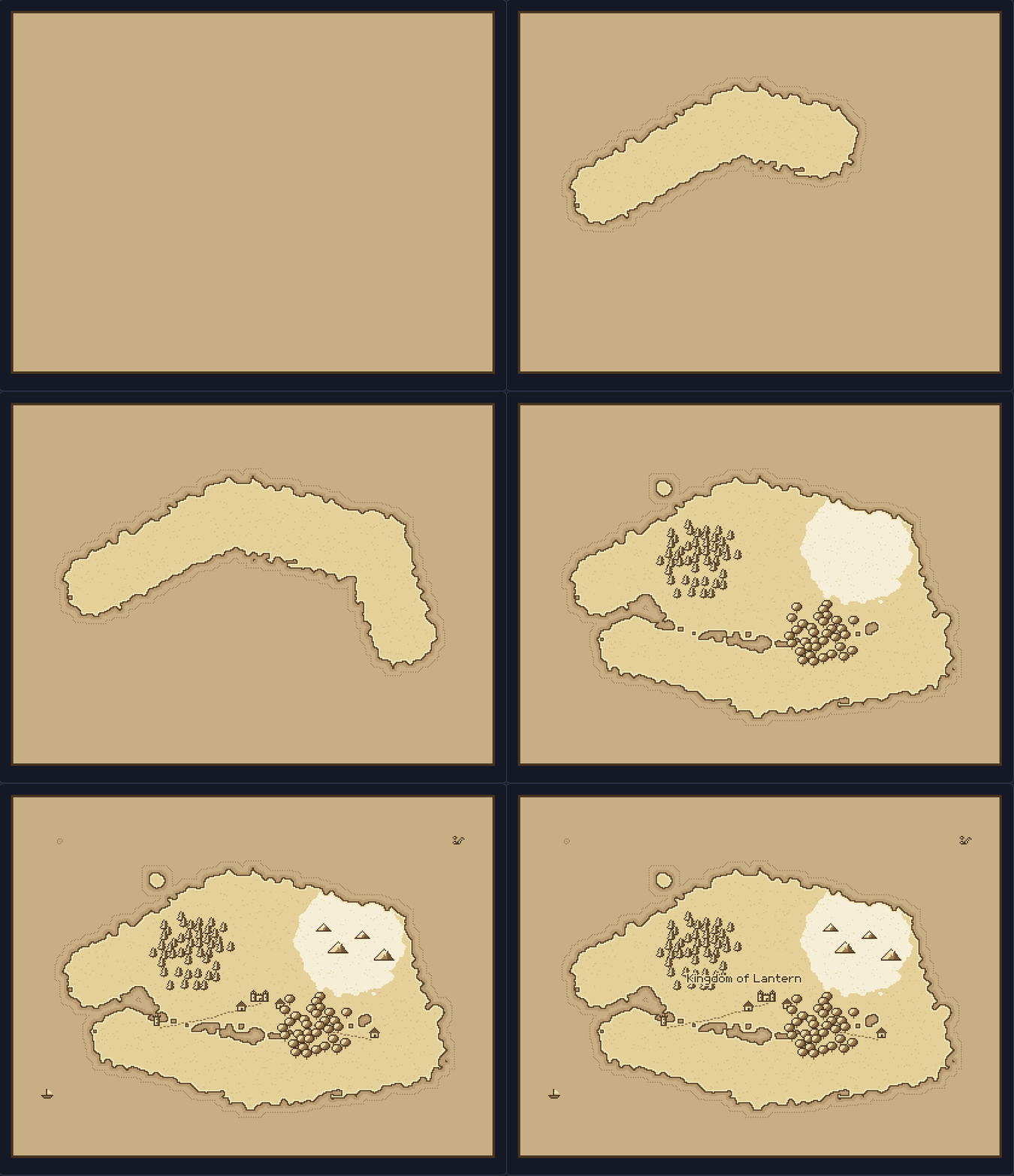
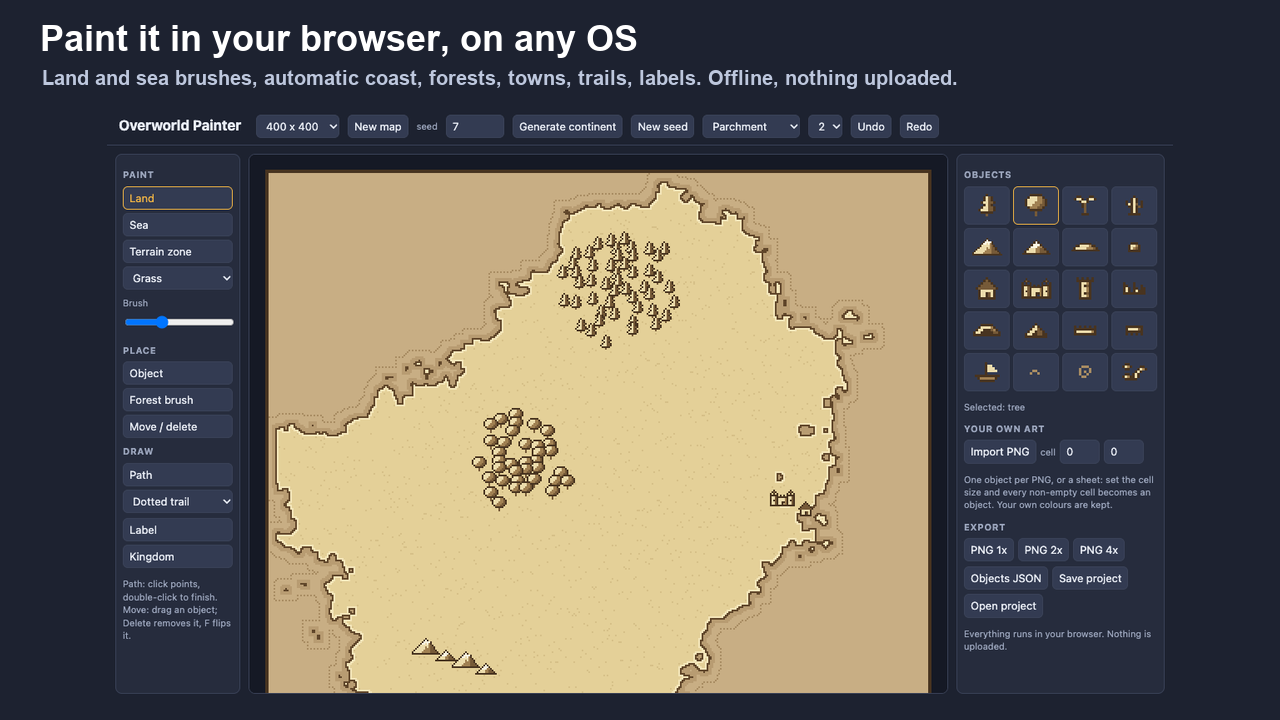
Paint pixel-art world maps in your browser, on Windows, macOS or Linux. Draw land and the coastline draws itself: ink outline, light rim, sea halo and a dotted offshore line. Add forests, mountain ranges, towns, castles, trails, rivers and labels, then export a crisp PNG for your game, your tabletop campaign or your book.
Try it above: the free web version makes 256 x 256 maps. Press Generate continent, pick a tree on the right and use the forest brush.
What you get
- Land and sea brushes with an automatic coastline, a seeded continent generator and terrain zones (grass, desert, snow, swamp) with ragged natural borders.
- 20 built-in objects: pines, round trees, palms, cacti, mountains and snowy peaks, hills, rocks, houses, a castle, towers, ruins, caves, tents, bridges, docks, ships, waves, whirlpools and a sea serpent. Drawn back to front, movable, flippable.
- Forest brush: one click scatters a natural clump of trees, palms, rocks or mountains.
- Trails, roads and rivers, and labels in a pixel font with a light outline.
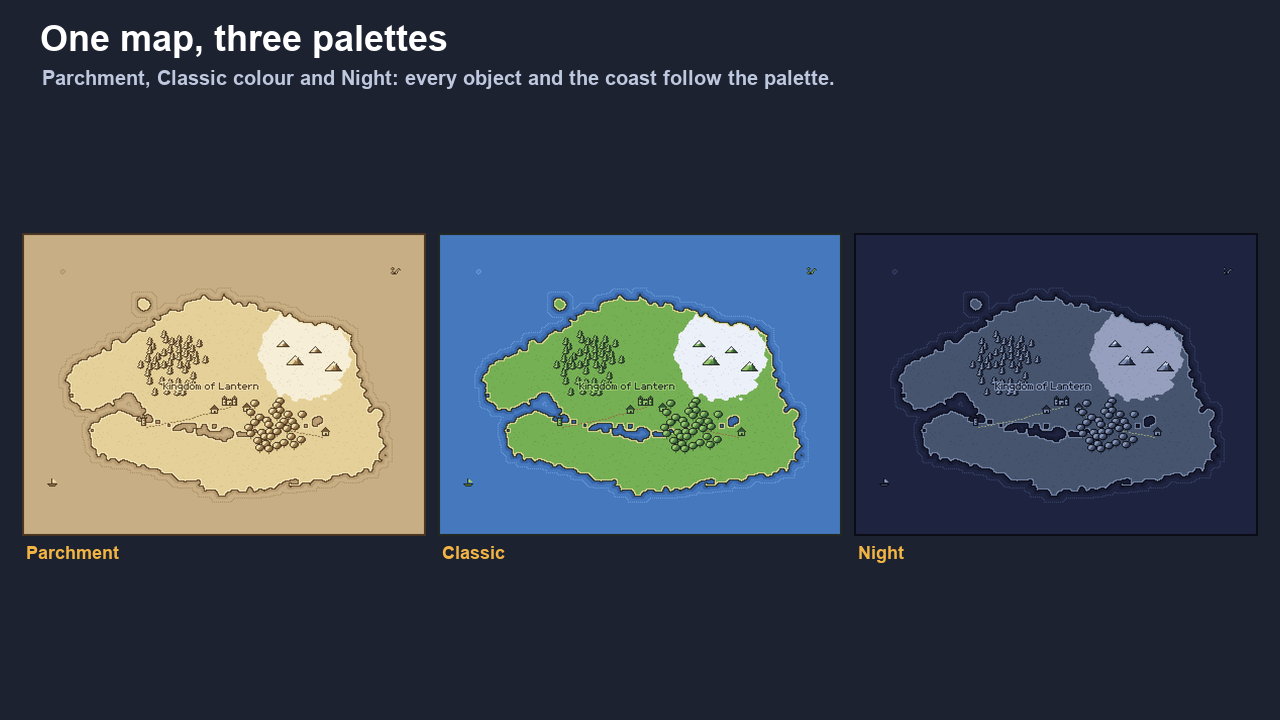
- Three palettes: Parchment, Classic colour and Night. One click recolours the whole map.
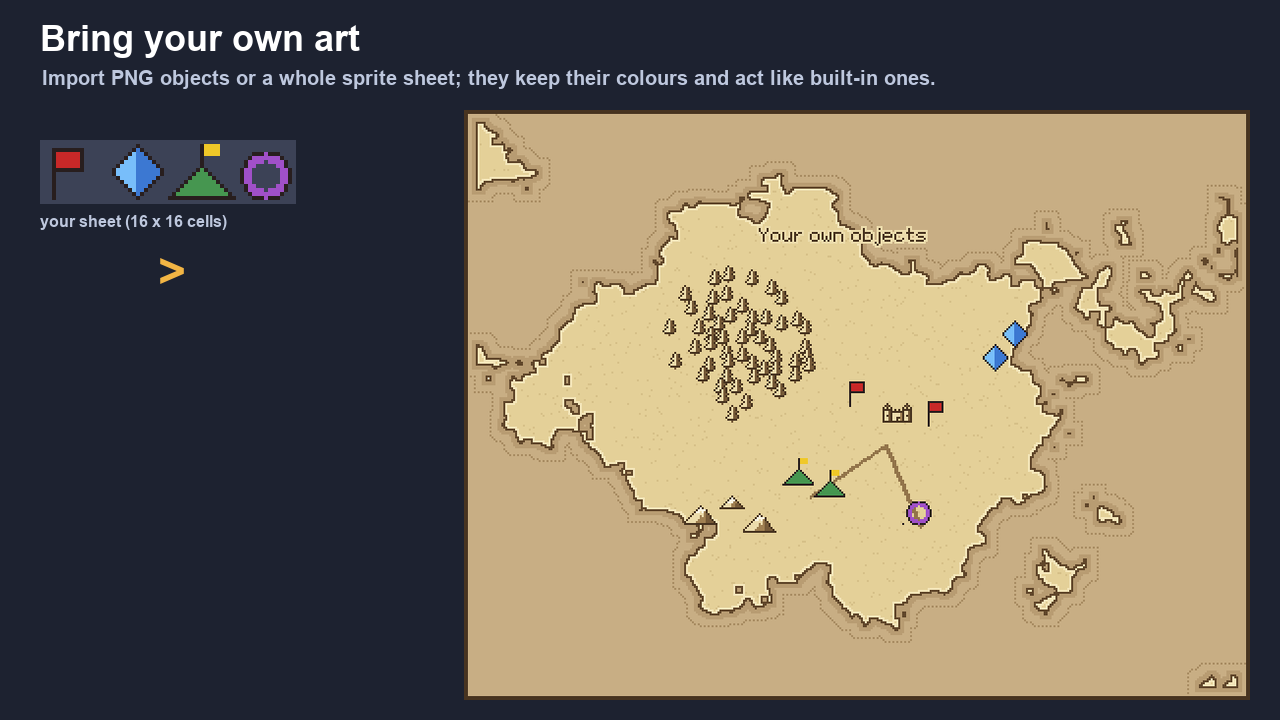
- Bring your own art: import a PNG object or a whole sprite sheet (set the cell size); every cell becomes an object with its own colours, saved inside your project.
- Export PNG at 1x, 2x or 4x, an objects JSON (name, x, y, flip) to place your own sprites in an engine, and save/open projects.
- Runs offline from one HTML file. No install, no account, nothing uploaded.
Free web version vs download
- Free (above): maps up to 256 x 256, all built-in objects, PNG export at 1x.
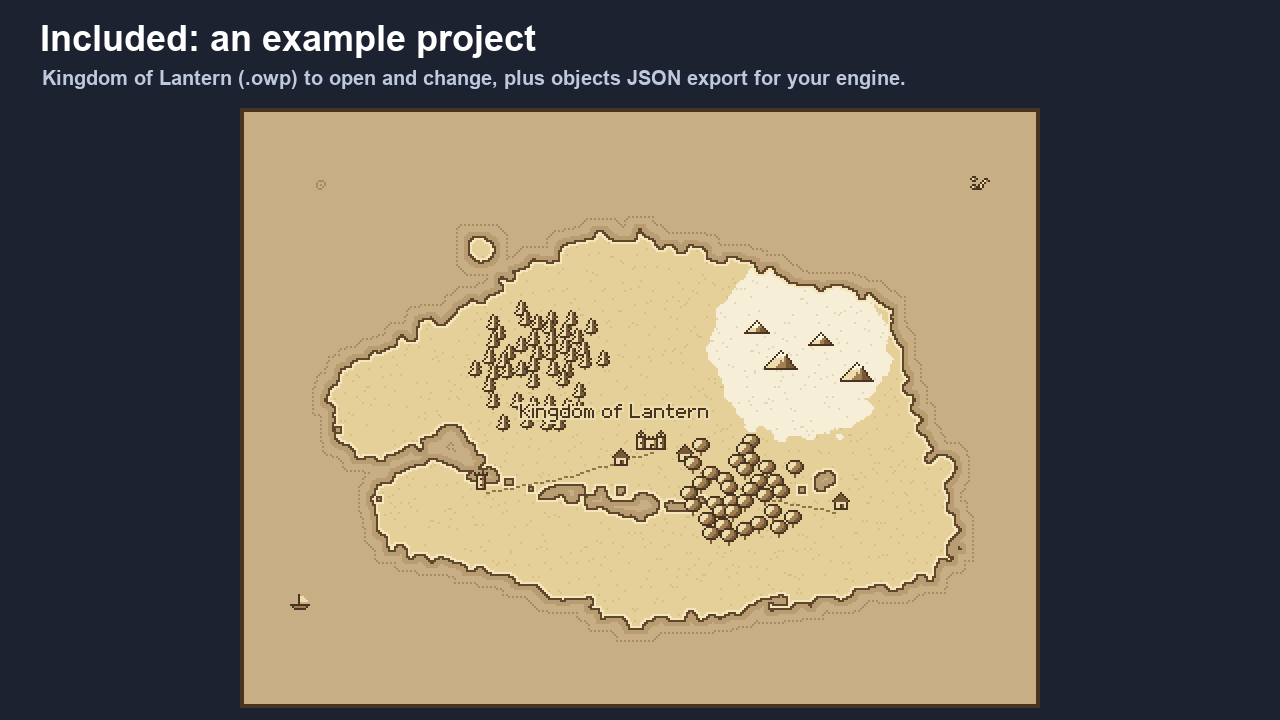
- Download: maps up to 1024 x 768, import your own art, PNG 2x and 4x, objects JSON, save and open projects, plus an example project.
Tested
28 core checks and 26 end-to-end checks in a headless Chromium browser with real mouse and keyboard input; the exported PNG equals the map render byte for byte. Tested in Chromium-based browsers.
Limits
Maps up to 1024 x 768 px, one land layer (no height map). Labels use the built-in Lantern pixel font (Latin letters, digits, punctuation). Questions or bugs: leave a comment below.
Everything you make with Overworld Painter is yours to use and sell.
More lanternkit tools
- Tileset Forge: 5 tiles in, a full 47-tile autotile set with a Godot 4 terrain out (browser)
- PixelType: bitmap fonts in Aseprite, .fnt export and TTF import
- RipKit: rip textures from photos, make them seamless, give them a PSX or pixel look (browser)
Purchase
In order to download this tool you must purchase it at or above the minimum price of $6.99 USD. You will get access to the following files:
Development log
- Overworld Painter 1.0.0 is out2 days ago