PixelType: make bitmap fonts in Aseprite, export .fnt for Godot and Phaser
A downloadable tool
Aseprite has no bitmap font export. PixelType adds it. Draw your glyphs in a grid, press Export, and get a BMFont .fnt + .png that Godot, Phaser, LibGDX and any BMFont loader read. Then type any .fnt font straight into your sprites, with a live preview and one undo step.
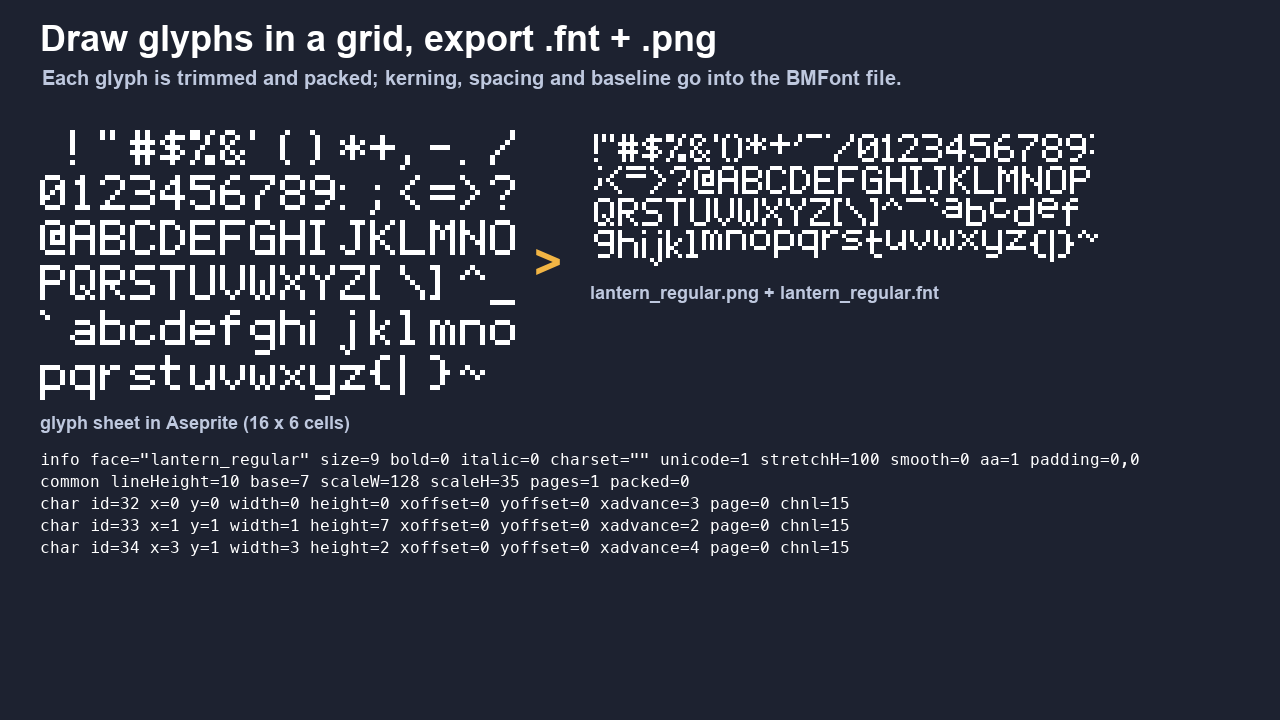
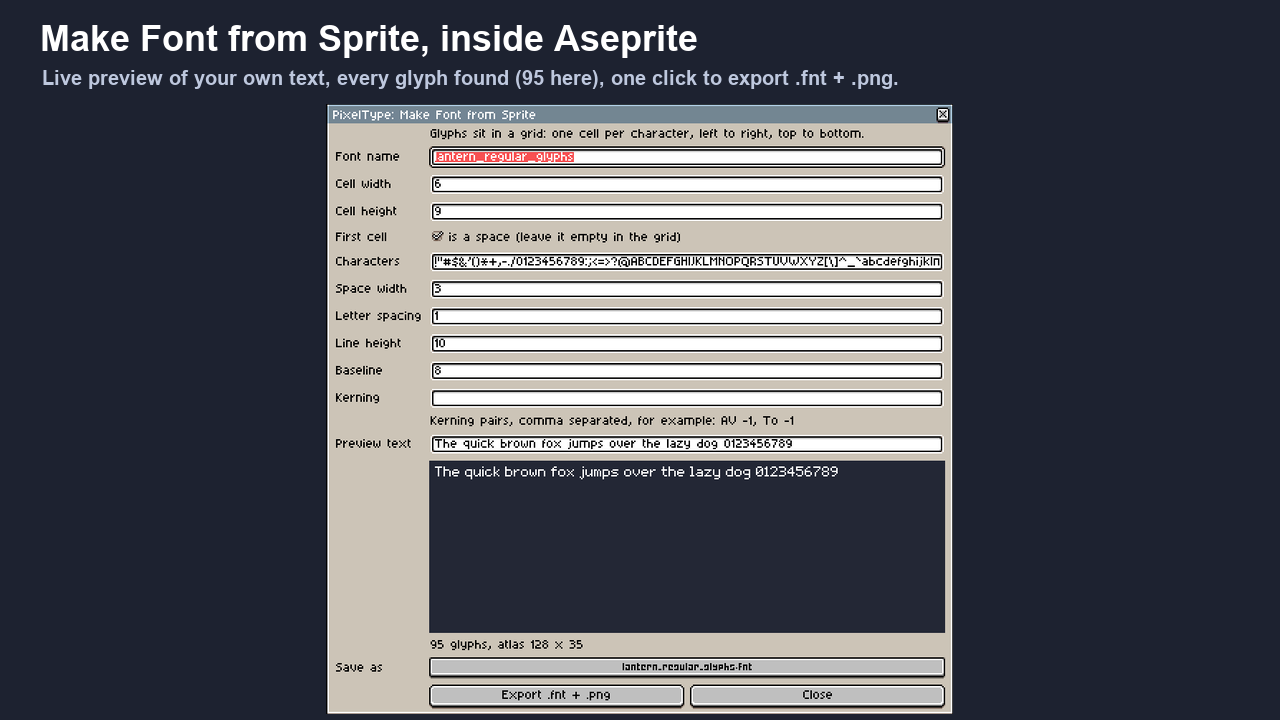
Make Font from Sprite
- One cell per character, any cell size; PixelType reads your grid settings as the default.
- Every glyph is trimmed to its ink, so i, l and ! get a narrow advance by themselves.
- Space width, letter spacing, line height, baseline and kerning pairs (
AV -1, To -1). - Live preview of your own sample text while you tweak.
- Exports AngelCode BMFont: the standard read by Godot 4, Phaser 3, LibGDX and importers for Unity and GameMaker.
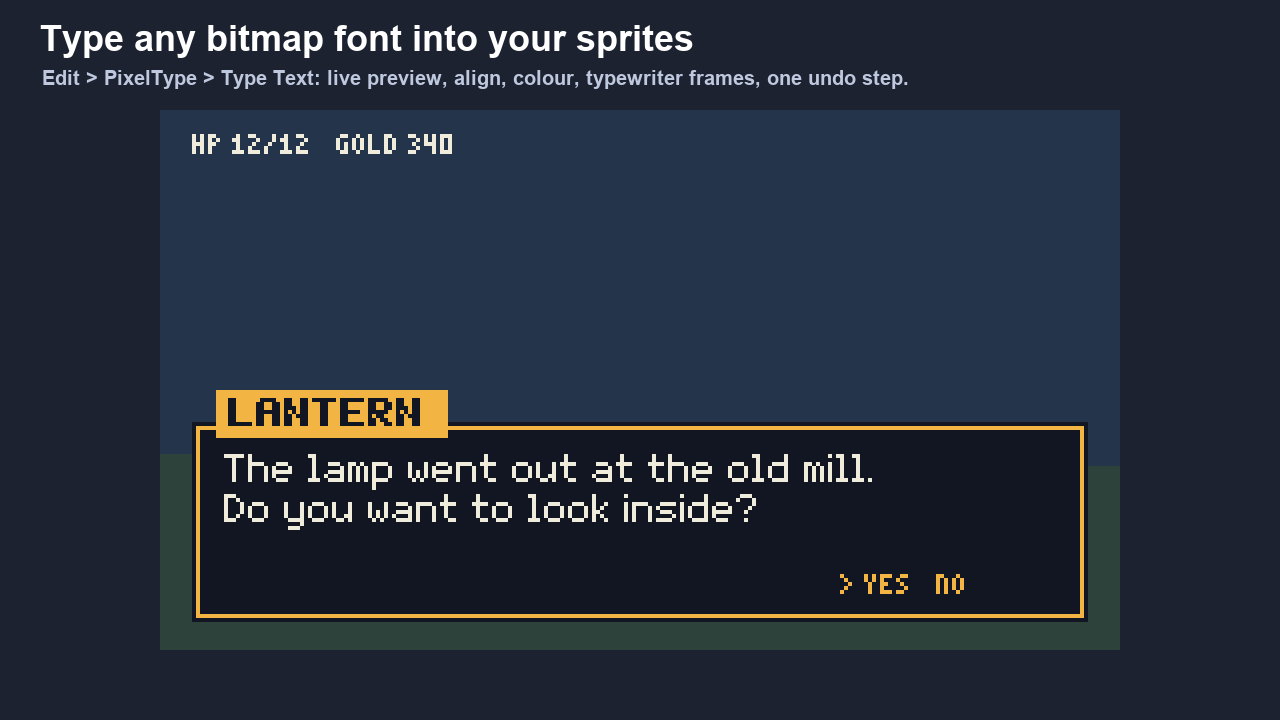
Type Text
- Any BMFont, text or XML, from any tool.
- Multi-line, left/center/right, letter and line spacing, one-colour mode, position.
- Typewriter: spread the text over frames, one more character per frame.
- Lands on a new layer as one undo step. Nothing goes through your clipboard.
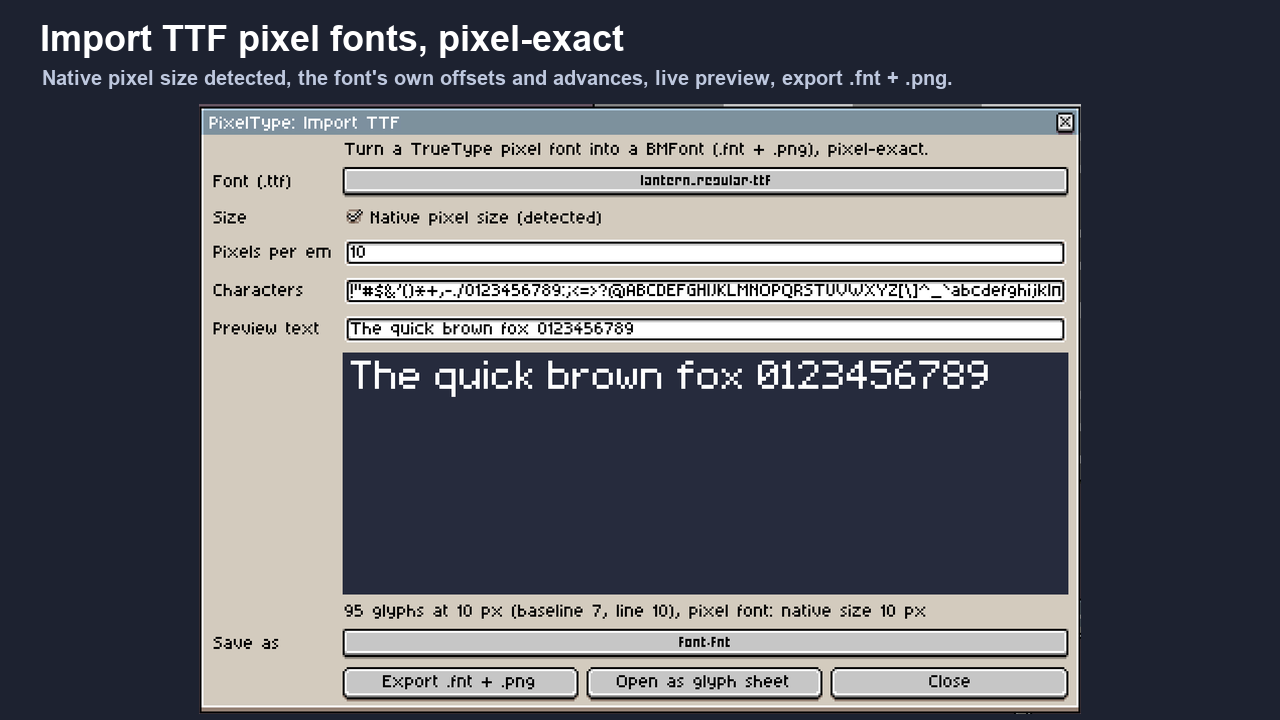
Import TTF (new in 1.1)
- Turn a TrueType pixel font (.ttf) into a BMFont, pixel-exact: PixelType finds the native pixel size by itself.
- The font's own offsets, advances, baseline and line height, with a live preview; or any other size you choose.
- Or open the glyphs as an editable glyph sheet and fix any letter by hand.
- TrueType outlines only: .otf with PostScript outlines and .ttc collections are refused with a clear message.
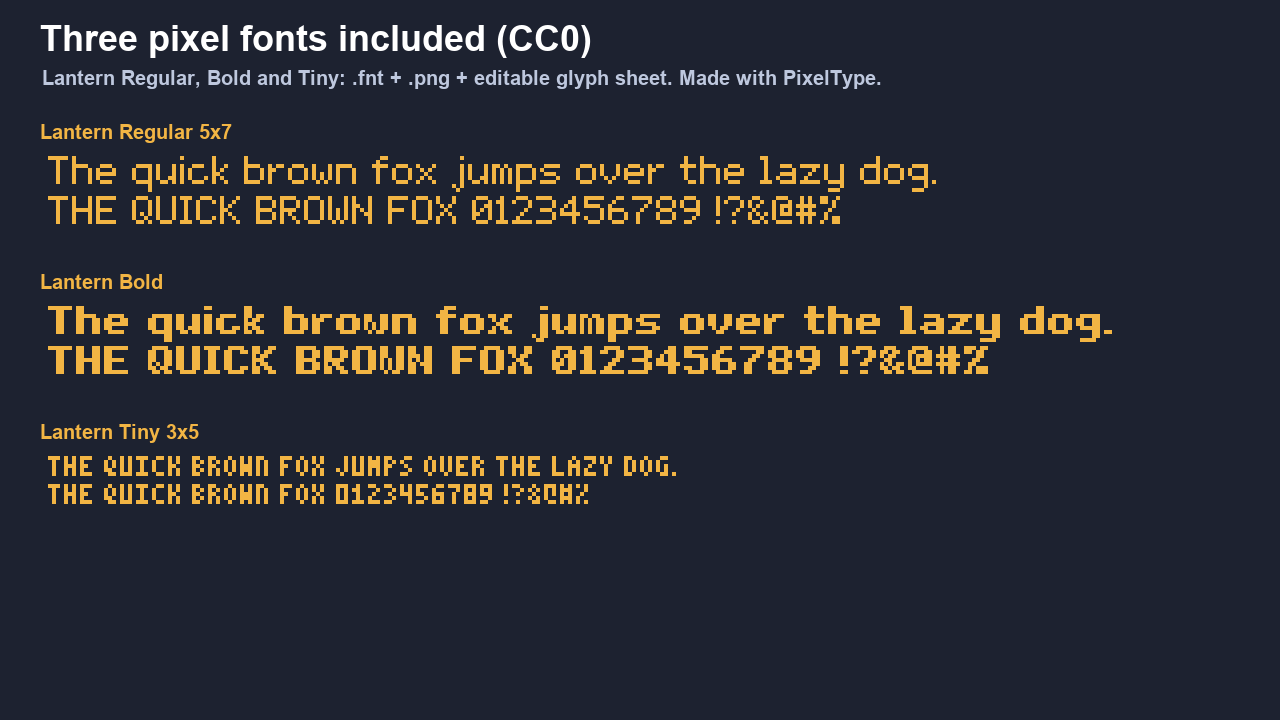
Three fonts included, CC0
Lantern Regular (5x7 with lowercase), Lantern Bold and Lantern Tiny (3x5 capitals), each as .fnt + .png and as an editable glyph sheet. Made with PixelType itself. Use them anywhere, also commercially.
Tested
- 25 automated checks on Aseprite 1.3.18, including a round trip: text rendered from the exported atlas is pixel-identical to the glyph sheet.
- The exported fonts load in Godot 4.7 with the right advances and kerning.
Install
Double-click PixelType.aseprite-extension (or Edit > Preferences > Extensions > Add Extension). You get Edit > PixelType. The first time it saves or reads a font, Aseprite asks whether the extension may access files: choose Allow. Needs Aseprite 1.3 or newer.
Limits
One atlas page per font. Type Text writes into RGB sprites. Questions or bugs: leave a comment below.
License: use PixelType for any number of your own projects. Fonts you make are yours. The included fonts are CC0. No resale or redistribution of the extension itself.
More lanternkit tools
- Tileset Forge: 5 tiles in, a full 47-tile autotile set with a Godot 4 terrain out (browser)
- RipKit: rip textures from photos, make them seamless, give them a PSX or pixel look (browser)
- Mask2D: sprite masking for Godot 4, no shader code
Purchase
In order to download this tool you must purchase it at or above the minimum price of $4.99 USD. You will get access to the following files:
Development log
Leave a comment
Log in with itch.io to leave a comment.